


The UK's leading school staffing platform
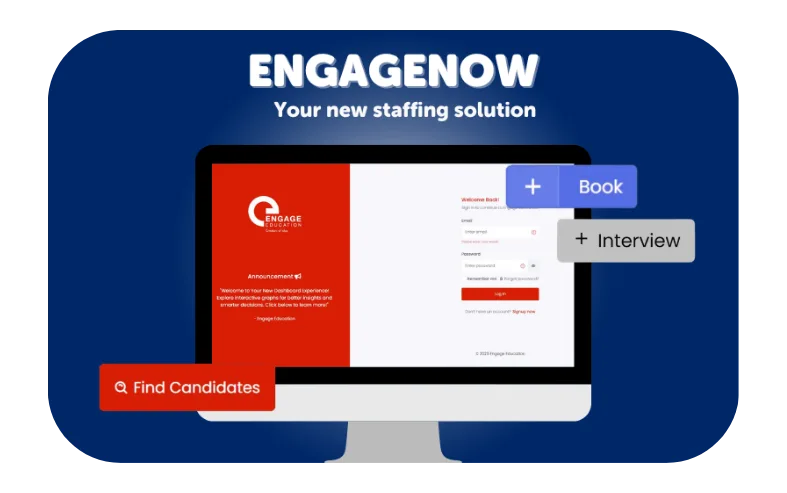
How it works…
Manage your staffing needs
Use your dashboard to get a live view of who is in your school at a glance. Easily explore your talent pool by booked, favourites, new, and recommended candidates, and rate candidates who have previously worked in your school.
Reduce your admin time
Reduce admin time by viewing timesheets, downloading CSVs for any week, approving entries individually or in one click, adding comments for lateness or absences, and managing multiple school sites at once across your MAT.
View your curated talent pool
View your curated talent pool, explore candidates’ CVs, profiles and distance from your school, request interviews or book candidates directly, with compliance assured as every candidate is pre-screened.
Filter candidates
Filter candidates by specialism by searching by role, subject, skills or SEND expertise, refine results by classroom, services, leadership and availability, and easily view candidates you have rated five stars.
Find long-term teaching staff
Easily browse and book experienced candidates for long-term roles with EngageNow. Filter by role, subject or specialism, view real-time availability, and quickly find the right staff for your school. You can review candidates by experience and availability and book long-term cover in just a few clicks, making extended staffing simple and hassle-free.
Cover short-term gaps
When you need pre-screened teachers or support staff at short notice, EngageNow helps you fill the gap quickly. See who is available immediately, check candidate profiles and book the right person in minutes. You can also rebook favourites in one click and keep your school covered with minimal admin.
Hear what our school's have to say...
"We have been using Engage Education for the past three years and have always been impressed with the quality of service and supply staff provided. The new platform has elevated the booking process, making it much simpler and more efficient—I can now book late in the evening or first thing in the morning without needing to call the agency. The platform is visually clear and user-friendly, and I really value being able to see photographs of recommended staff in the Talent Pool as well as live availability, which saves time when requesting specific people. Having the booking process and timesheets all in one place makes things so straightforward, and the reduced pricing has been the most impressive feature of all."
"The new platform has been extremely useful in identifying potential candidates to fill vacancies and support with lesson cover. It’s informative and assists with selecting staff that can best support in our school. It is also clear, accessible and easy to use which makes booking very straightforward. The Talent Pool and recommendations provided by the site also helps streamline the process of finding staff at short notice."
"The new Engage online system has been transformative and time saving. I can place all of my weekly bookings at the same time, choose my preferred staff and give instant feedback online. The response time to placing bookings is very quick. Signing off invoices has never been easier. This new system has saved a lot of time."
"The new booking system has made it easy to rate and rebook candidates that I know have been a good fit for the school. Being able to open a candidate’s profile and search based upon subject is very useful in allowing me to better assign staff to classes that best match their skill set."
"The new Engage portal is intuitive and user-friendly, making it easy to navigate. It provides access to a wealth of crucial information, streamlining key tasks. Overall, it significantly improves my efficiency in recruiting and managing cover by giving me everything I need, exactly when I need it."
"Engage Education always provides quality candidates to cover our supply needs. Candidates are friendly, on time, knowledgeable and good with classroom management. Declan is great to work with, always approachable and listens to what our school requirements are. The new platform is easy to navigate and helps us choose our favourite candidates. Timesheets are clear and easy to understand. Engage Education is lovely to work with and always comes through in our time of need!"
Frequently asked questions
Everything you need to know about managing supply bookings with EngageNow.
Getting started
5
EngageNow is Engage Education’s online platform for schools. From one place you can see suggested candidates, request bookings for cover and longer-term roles, approve weekly timesheets, manage your school profile, and keep an eye on everything happening across one or more sites.
It’s designed to complement — not replace — your Engage consultant, who remains your main human point of contact.
In most cases your Engage consultant will create your account for you and invite you in. If you sign up yourself before that happens, don’t worry — we’ll review your account first and approve it once we’ve confirmed you’re a genuine school.
For private schools and nurseries we may also run a routine credit check as part of that approval.
You log in with your email address and password at the main sign-in screen. If you forget your password, use the “Forgot password?” link on the login page to reset it yourself. We’ll never ask you for your password by email or phone.
The dashboard gives you an at-a-glance view of your week: who’s scheduled in your school each day, your Talent Pool favourites, candidates awaiting feedback, headline numbers (days and hours booked, bookings due to start, outstanding timesheets), a quick referral tool, and the names and contact details of your Engage consultant team.
Yes. If you’re responsible for more than one school or a multi-academy trust, the school selector in the top-right corner lets you switch between the schools you have access to without logging out.
Your school profile & users
5
Your profile tells us the essentials we need to match candidates well: your school details (name, URN, MAT, address, pay scale), what your school is like (“About your school”, parking, bio), your school hours and staff arrival times, your finance contact for invoicing, the sites you operate from, and the age groups you support (EYFS Nursery through to KS5).
The more complete your profile, the more information candidates see on our mobile app before accepting bookings.
In your Profile, expand School Sites and use Add School Site. Each site has a name and address, and you’ll then be able to choose the correct site when requesting a booking.
School Contacts are the people at your school who can use EngageNow. In your Profile, expand School Contacts and click Add School Contact. You’ll enter their name, job title, email, phone, and the role you want them to have.
Decision Maker can submit booking requests and approve candidates.
Timesheet Approver can sign off weekly timesheets for payroll.
Observer has read-only access — useful for senior leaders who want visibility without actioning anything.
A single person can only have one role at a time, so choose the one that best fits their day-to-day involvement.
Pay Scale helps us align candidate expectations with what your school typically pays. It doesn’t set rates on its own, but it gives our consultants context when proposing candidates and charge rates.
Finding & managing candidates
6
It’s your searchable view of candidates we can put forward to your school. Cards show a photo, role and key stages, specialisms, a distance from your school, compliance status, and star rating. You can sort, filter, and open any candidate to see more detail.
Approved — cleared by Engage and ready to book.
OnHold — their paperwork or references aren’t complete with us. You can still book them if you wish, but the system will remind you that additional clearance checks are needed before they can start.
New — recently added to your pool.
Favourite — marked by you as someone you’d like to see more of; favouriting ranks them higher for future bookings.
Recommended — hand-picked for your school by your Engage consultant.
Booked — has worked with you before.
Blocked — candidates you’ve chosen not to see again.
On any candidate profile you’ll see Favourite, Book and Block buttons. Favouriting promotes them in your matching; blocking hides them from your future results. Both are reversible — just open the candidate and toggle the option again.
Yes. The Advanced Filters panel lets you filter by Status, Classroom / Non-Classroom / Leadership role type, specific role, Subject, SEND type (Autism, ADHD, 1:1, ASDAN, BSL and more), Skills & Qualifications (including MIS and finance systems like SIMS, Arbor, Bromcom, ParentPay and SAGE), DBS type, and Candidate Type.
Use “Apply Filters” to refine the list, and “Clear All” to reset.
You’ll see their photo, name, rating, professional roles and key stages, specialisms, and two icons that open their CV and their visual Candidate Profile (a one-page summary designed by Engage). You can also see a history of their bookings at your school and their availability calendar.
You won’t see personal contact details — those are held securely by Engage.
It’s the approximate distance of the candidate’s registered location from your school — useful for gauging how realistic a booking is, especially for early starts.
Bookings & interviews
7
Click the + Book button in the top-right from anywhere in the platform and fill in the pop-up. You’ll choose your school site, the date(s), the period type (Full Day, Morning, Afternoon, or Hourly), the role and any additional information, then click Request to book.
Yes. Open the candidate from your Talent Pool and click Book on their profile. The form is the same, but the request is tied directly to that person.
It comes through to your Engage consultant, who confirms or fulfils it. You’ll receive a confirmation email once a candidate is locked in — including a full Vetting PDF for the person attending your school.
Yes. On the Booking Details page, the Internal Ref / PO field lets you add your own reference so it’s easy to match on your finance system.
Each booking has a Work Set area (for lesson plans or cover work), a Health & Safety field (for any notes the candidate needs), and an Attached Files area. You can edit or upload these any time before or during the booking.
Not yet — those options are on the way. For now, please contact your Engage consultant to cancel or extend a booking, and they’ll take care of it.
It sends an interview request for that candidate. Use it when you want to meet someone before committing to a booking — for example for a longer-term role. Your consultant will arrange the interview with the candidate.
Compliance & safeguarding
4
Yes. Compliance documents (DBS, references, right-to-work and identity checks) are held securely by Engage. You don’t need to store them on EngageNow. For each confirmed booking you’ll receive a Vetting PDF for your records.
You can book them, but “OnHold” means their clearance with us isn’t fully complete. You’ll be prompted to run additional checks yourself before they start. If you’d rather not take that on, stick to Approved candidates.
If you’ve booked a candidate whose clearance is incomplete, we’ll email you a waiver to acknowledge you understand that and are happy to proceed under agreed conditions. It’s how we balance flexibility with safeguarding.
DBS Child covers work with children. DBS Adult & Child also covers vulnerable adults — useful if your setting includes SEND provision with post-18 learners or similar contexts. The filter lets you show only candidates whose DBS matches what you need.
Timesheets & charges
7
EngageNow automatically generates timesheets every Friday at 1pm for the week just gone and emails them to your Timesheet Approver. You’ll also see them on the Timesheets screen inside the platform.
Open the timesheet week and amend the relevant slots before approving — you can adjust individual days to reflect what actually happened. When everything’s correct, approve the day (or use Approve all for the whole week).
By 8am Wednesday for the previous week so we can run payroll on time. If a timesheet isn’t approved by then, please contact your consultant straight away.
Yes. Use Download PDF on the Timesheets screen to export the week’s timesheet for your files or finance team.
Only a School Contact with the Timesheet Approver role. If the right person isn’t set up, a Decision Maker can add them in Profile → School Contacts.
Every booking on the Bookings list shows a Charge, and the Booking Details page breaks down the Charge type (e.g. Full days), the Charge rate (e.g. “£110.00 + VAT”), and the candidate’s pay type (e.g. PAYE – Contract of Services). If you need clarification on any figure, your consultant can explain.
Invoices are sent through SageHR to the finance contact listed in your Profile → Financial Details. If you need to update that contact, edit your profile so future invoices go to the right person.
Support & referrals
2
There isn’t one — and that’s deliberate. EngageNow is a human-in-the-loop platform: your Engage consultant team is your first and best line of support. You’ll find their names and email addresses on your dashboard under Contact your team.
Yes. On the dashboard, use the Submit a Referral widget to share their details. It’s a quick way to help us grow the network around your school.
-
EngageNow platform security
EngageNow is built on Microsoft Azure, one of the world’s most trusted cloud platforms. Azure maintains over 90 compliance certifications and invests more than $1 billion annually in security research and infrastructure, so our platform benefits from enterprise-grade protection without compromise.
Data encryption
All data is encrypted at rest using AES-256 encryption and in transit using TLS 1.2+. This applies to everything stored in our database and every connection made to our platform, your candidate and school data is never exposed in plain text at any point in its journey.
Secure access controls
Access to EngageNow is protected by role-based permissions, ensuring consultants, administrators, and schools only ever see the data relevant to their role. Our infrastructure access is managed through Azure Active Directory with multi-factor authentication, meaning no one can reach sensitive systems with a password alone.
Hosting & infrastructure
EngageNow runs on Azure App Service, Microsoft’s fully managed hosting platform. This means automatic OS and runtime patching, built-in DDoS protection, and infrastructure maintained to ISO 27001, SOC 2, and PCI DSS standards, all managed by Microsoft’s security teams around the clock.
Data protection & GDPR compliance
EngageNow is hosted on Microsoft Azure, providing automated backups, point-in-time restore, and audit logging as standard. Candidate documents and files are stored with a leading cloud provider, offering enterprise-grade access controls, virus scanning, and encryption at rest and in transit. Together, these platforms give us the tools to meet our obligations under UK GDPR and respond rapidly to any data subject requests or incidents.
Schedule a tour today!
The UK’s leading school staff booking & recruitment platform
